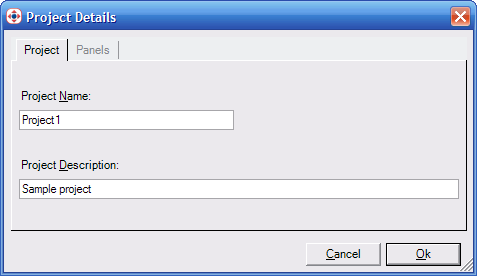
The Project Details dialog
|
Reference |
Sharing Projects |
|
|
Exporting and importing projects from other computers or Stardraw Control users.
You can export any currently open project by selecting Export Project from the File menu.
You can also export any project from the Open Project dialog which is displayed when Stardraw Control is started, or can be accessed by selecting Open from the File menu. Select the project in the list you wish to export and click Export Project.
You will be prompted for a filename and location to save the project to. Once saved, you can copy this to any other computer which has Stardraw Control 2007 installed and import it.
You can import any Stardraw Control 2007 project by selecting Import Project from the File menu. The Project Details dialog will appear.
The Project Details dialog
The Project tab displays general project properties:
Specify a Project Name and Project Description for the new project.
The Panels tab displays properties specific to the Client application.
In the Panels tab:
Ensure that the Executable Path point to valid folders on your computer,
Note
The Executable Pathinitially displayed is from the computer that the project was originally exported from.