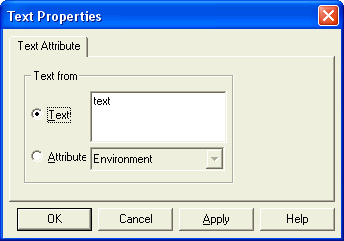
 Use this dialog to modify a Text object.
Use this dialog to modify a Text object.
Text: choose this to enter text directly into the edit box. To insert a line break or carriage return to create multi-line text, press "Ctrl+Enter"
Attribute: the text object can take its value from the value of an attribute. You can select from attributes that belong to the text object directly (rare) or from those that belong to the symbol of which the text object is a part.
